If you resize a microscope image for a paper, presentation, or figure, is the original magnification still correct?
Not necessarily.
A magnification value such as 500×, 2,000×, or 10,000× describes how large a feature appears relative to its real size. But with a digital image, the final displayed size can change.
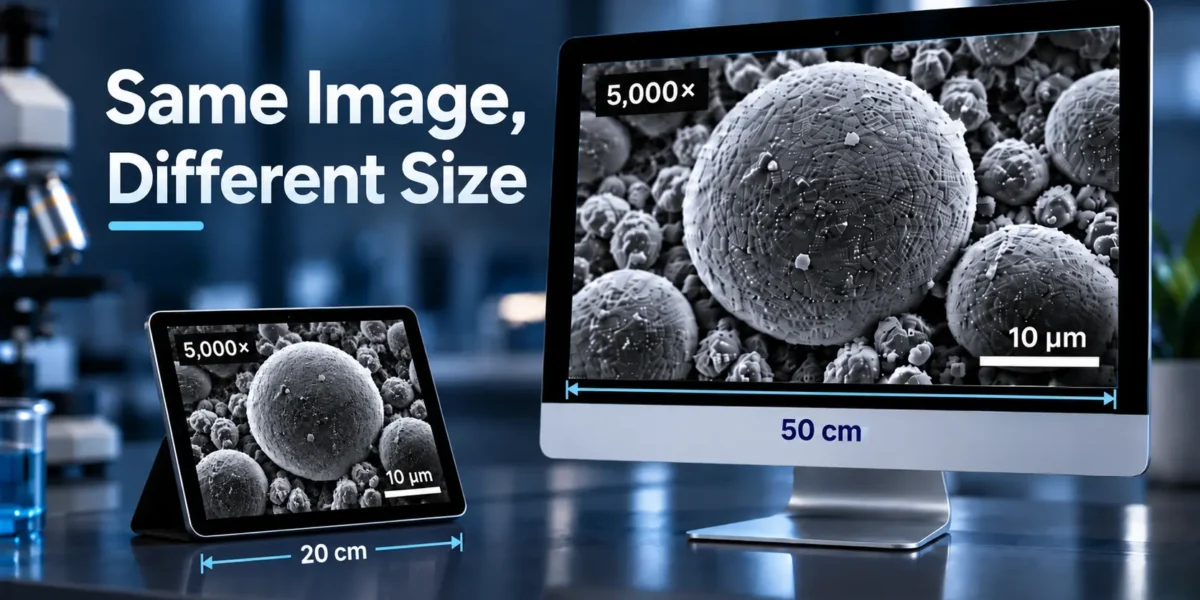
The same SEM image might appear:
- 8 cm wide in a journal,
- 15 cm wide in a presentation,
- full-screen on a monitor,
- or much smaller on a phone.
The underlying specimen has not changed, but the size at which the image is displayed has.
This is why a fixed magnification number can become misleading after an image is resized, while a correctly added scale bar usually remains useful.
What Actually Changes When You Resize a Microscope Image?
There are two different types of resizing that are easy to confuse.
1. Changing the displayed size
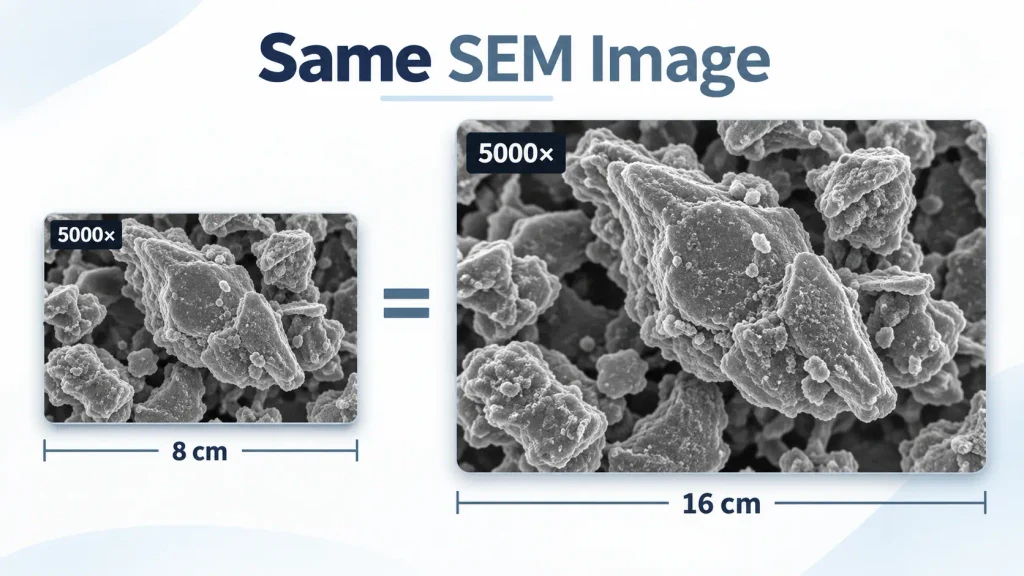
Imagine that you place the same microscopy image into two documents.
In the first document, the image is 8 cm wide. In the second, it is 16 cm wide.
The second version appears twice as large on the page.
If both versions still say:
Magnification: 1,000×
that number cannot accurately describe the physical enlargement of both final images.
This is one of the main problems with using magnification alone in digital microscopy figures.
The magnification recorded by the microscope can still be useful as acquisition information, but it should not automatically be treated as the magnification of the final published or displayed image.
Why Is a Scale Bar Different?
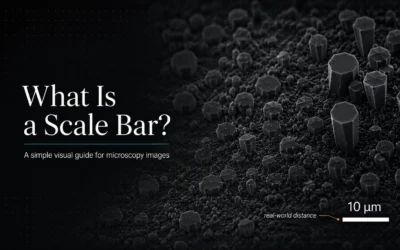
A scale bar represents a real distance inside the specimen.
For example:
10 µm
means that the length of the bar corresponds to 10 micrometers in the real sample.
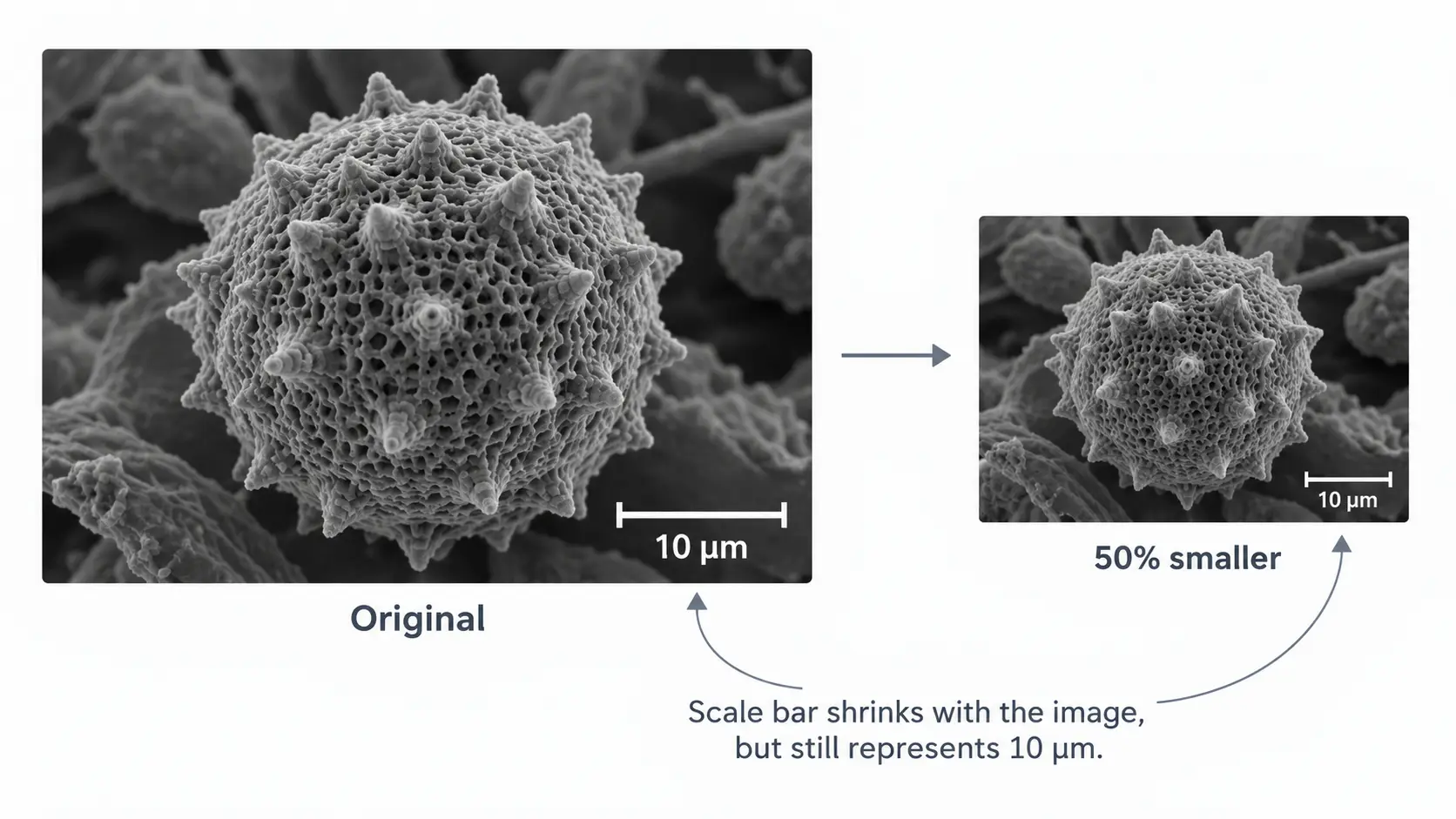
If the image and scale bar are resized together, their proportions remain the same.
Make the image 50% smaller, and the scale bar also becomes 50% smaller on the page.
The bar still represents 10 µm.
This makes a scale bar much more useful when an image may be resized during:
- journal publication,
- figure preparation,
- poster design,
- PowerPoint presentations,
- website publishing,
- or PDF generation.
The important condition is that the scale bar must stay attached to the image and be resized together with it.
A Simple Example
Suppose an SEM image contains a particle that is 20 µm wide.
The image also contains a calibrated 10 µm scale bar.
You insert the image into a paper and reduce its width from 16 cm to 8 cm.
Everything becomes half as large on the page:
- the particle,
- the scale bar,
- the labels,
- and the rest of the image.
The scale bar still represents 10 µm because its size changed by exactly the same amount as the specimen.
But a text label saying:
Magnification: 5,000×
does not automatically adapt to the new physical size of the image.
That is the fundamental difference.
Does Resizing Change the Image Calibration?
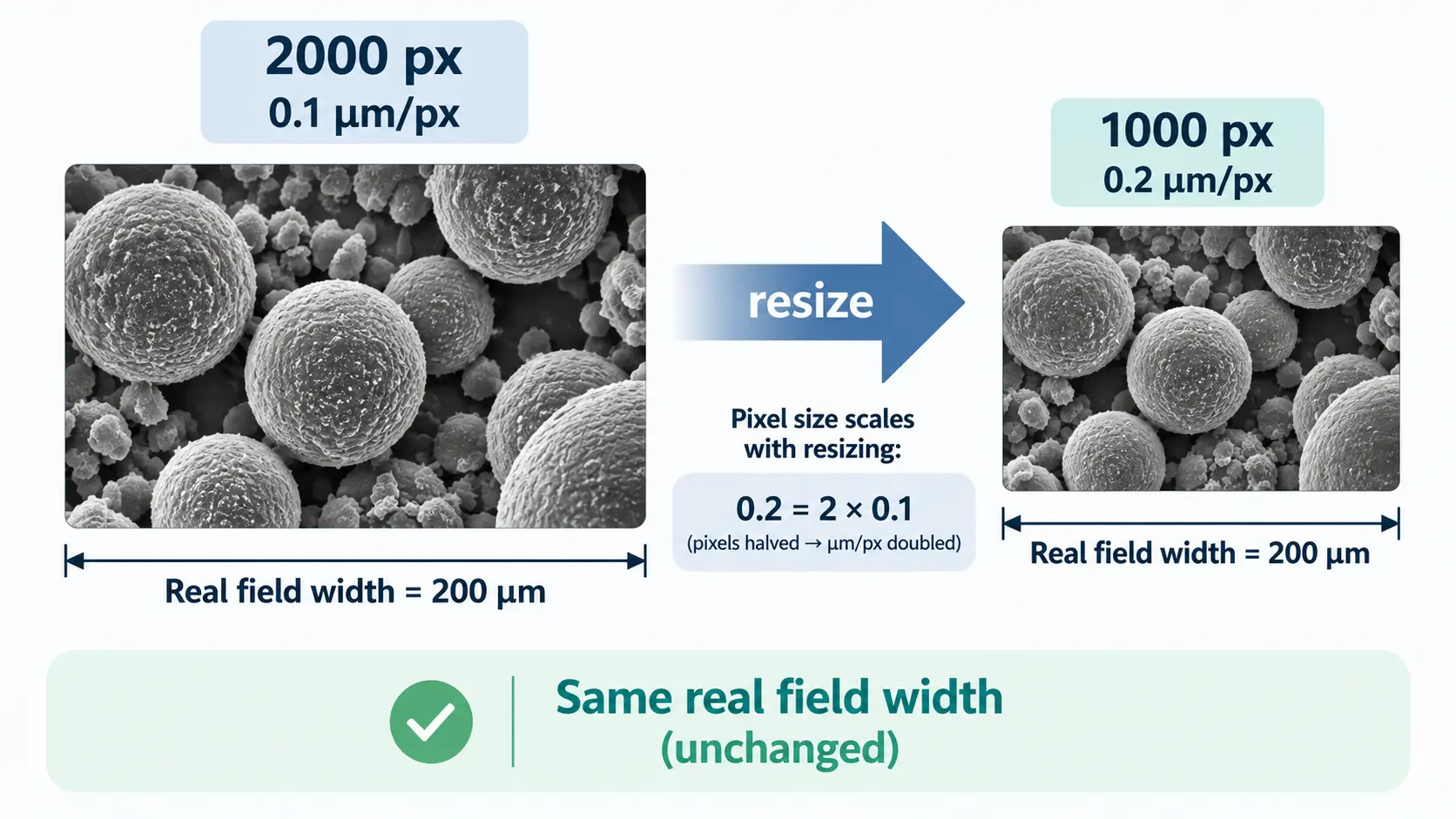
It can.
This is where another common microscopy mistake happens.
Suppose your original image is:
2000 pixels wide
and its calibration is:
0.1 µm/pixel
If you resample the image and reduce it to:
1000 pixels wide
the same real field of view is now represented by half as many pixels.
The new calibration becomes:
0.2 µm/pixel
If software continues using the old value of 0.1 µm/pixel, any measurements made from the resized image will be incorrect.
So there are two separate questions:
Is the visible scale bar still correct?
Yes, if it was correctly generated and resized together with the image.
Is the stored pixel-to-length calibration still correct?
Only if the software updates it when the pixel dimensions change.
This distinction matters when you want to measure length, area, particle size, coating thickness, grain size, or other quantitative features after resizing.
What About Cropping a Microscopy Image?
Cropping is different from resizing.
If you simply remove part of an image without changing the size of the remaining pixels, the physical scale does not change.
For example, if the calibration before cropping is:
0.25 µm/pixel
it remains 0.25 µm/pixel after a simple crop.
What changes is the field of view, not the scale.
However, there are two practical problems to watch for.
First, you may accidentally crop out the original scale bar.
Second, you may crop the image and then resize the cropped result.
In the second case, the calibration needs to follow the resizing operation correctly.
For publication figures, it is therefore useful to keep the original calibrated image and create edited copies rather than permanently replacing the source image.
Can I Resize an Image That Already Has a Scale Bar?
Yes, provided that the image and scale bar are resized together.
For example, exporting a complete microscopy image containing an embedded scale bar and then proportionally reducing the entire image is normally fine.
A more dangerous workflow is this:
- Insert the microscopy image into PowerPoint or another design tool.
- Draw a line manually and call it a scale bar.
- Resize the microscope image later.
- Leave the line unchanged.
The line and image now have different scaling.
The apparent scale bar is no longer scientifically meaningful.
A scale bar should be generated from a known calibration, not estimated visually.
Avoid Stretching Microscope Images
Proportional resizing changes the width and height by the same percentage.
For example:
2000 × 1500 px → 1000 × 750 px
The aspect ratio remains unchanged.
Stretching is different:
2000 × 1500 px → 1000 × 1000 px
Now the horizontal and vertical dimensions have been changed by different amounts.
Objects may appear wider, narrower, taller, or shorter than they really are.
This is particularly problematic when the image will be used for measurements such as:
- particle aspect ratio,
- pore morphology,
- coating thickness,
- crack dimensions,
- grain measurements,
- or cellular morphology.
For scientific images, preserve the original aspect ratio unless there is a specific and documented reason not to.
Does Increasing the Image Size Improve Microscopy Resolution?
No.
Making a 1000 × 1000 pixel image into a 4000 × 4000 pixel image creates more pixels, but it does not recover additional information from the microscope.
The new pixels are generated through interpolation.
The image may become physically larger or easier to place in a figure, but the microscope did not capture additional detail.
This is especially important when preparing SEM, TEM, optical microscopy, and metallography images for publication.
Image size, magnification, and resolution are related concepts, but they are not the same thing.
SEM Magnification Can Be Especially Confusing
Magnification in SEM images deserves extra attention because modern SEM images are digital.
The same scanned field can be displayed at many different physical sizes.
An image might be shown at 100% on one monitor, scaled down inside a journal column, and enlarged again in a presentation.
For this reason, comparing two SEM images only by labels such as:
10,000× vs 20,000×
can be misleading.
A scale bar or known field width gives the reader direct information about the real size represented by the image.
This becomes particularly useful when comparing images from different instruments or preparing multi-panel figures.
Magnification Is Still Useful — Just for a Different Purpose
This does not mean microscope magnification is useless.
Acquisition magnification can provide useful information about how an image was recorded and can belong in:
- acquisition metadata,
- experimental methods,
- microscope settings,
- or laboratory records.
The problem begins when acquisition magnification is treated as if it always describes the final size of an image after layout, resizing, or publication.
For the reader of a digital microscopy figure, physical scale information is usually more robust.
A Safer Workflow for Microscopy Images
A practical workflow is:
- Keep the original image unchanged.
- Confirm the calibration using microscope metadata, an existing scale reference, or a known calibration standard.
- Perform measurements using the correctly calibrated image.
- Crop the image only when necessary.
- Add a calibrated scale bar.
- Keep the original aspect ratio when resizing.
- Check the scale bar at the final export size.
- Export a separate publication copy rather than overwriting the original data.
This approach reduces the chance of losing scale information while preparing figures.
Adding a Scale Bar Without Guessing
If your microscope image does not already contain a useful scale bar, you need a valid relationship between image pixels and real distance before adding one.
For example, calibration may come from:
- microscope metadata,
- a known reference length,
- an existing scale bar,
- a stage micrometer,
- or a previously verified calibration.
Once that relationship is known, a software tool can calculate exactly how many pixels should represent 10 µm, 100 nm, 1 mm, or another required distance.
Add a Calibrated Scale Bar with NotyScale
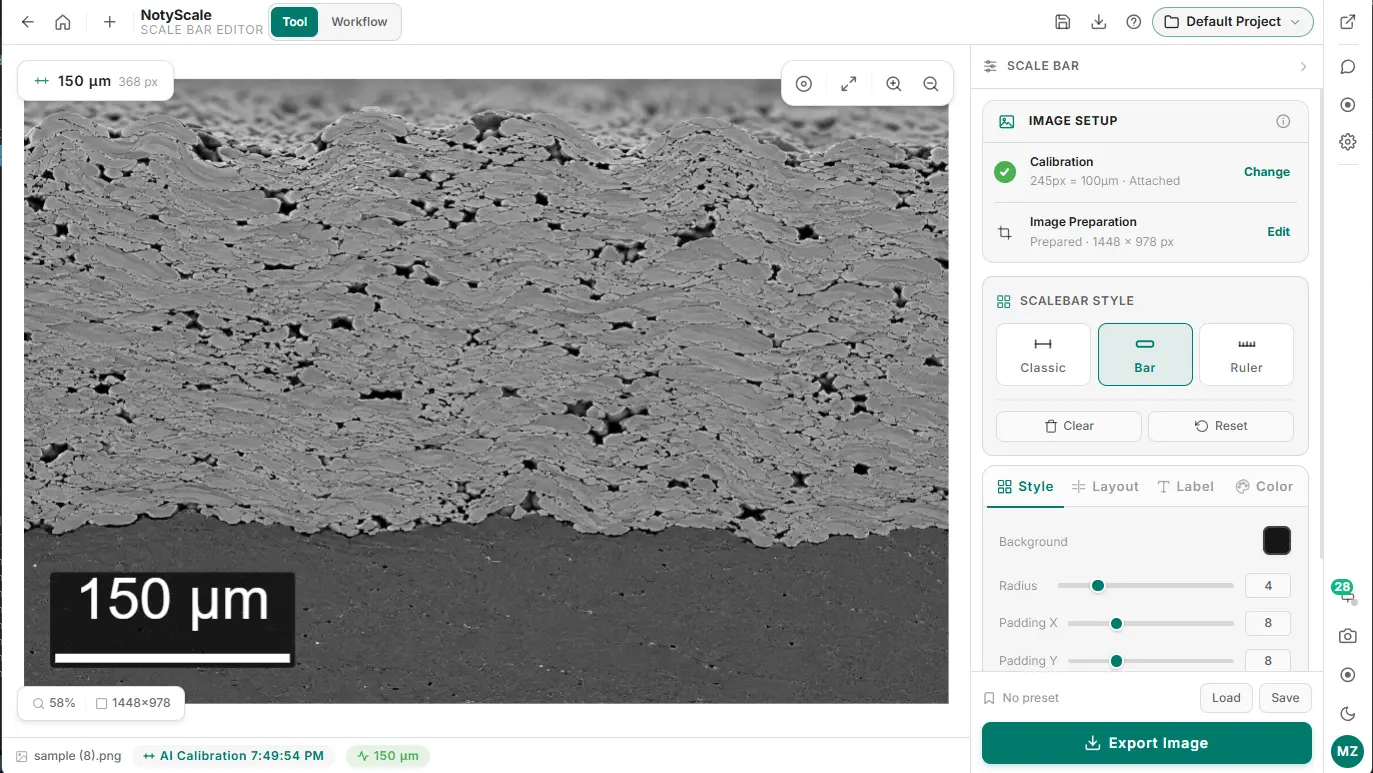
NotyScale is designed for this workflow.
You can open a microscopy image, confirm or create its calibration, choose the real-world scale-bar length, adjust its style and placement, and export the prepared image.
Preparing an SEM, TEM, or microscopy image for publication? [Open NotyScale] and create a calibrated scale bar before exporting your final figure.
If your image does not yet have reliable scale information, you can first create or attach a calibration using NotyCalibration.
Quick Rule to Remember
If you only remember one thing, use this:
Magnification describes enlargement. A scale bar describes real distance.
The displayed enlargement can change when an image is resized.
A correctly calibrated scale bar remains tied to the structures inside the image when both are resized together.
For digital microscopy images that may be placed into papers, posters, slides, or websites, that makes the scale bar a much more reliable visual reference.