
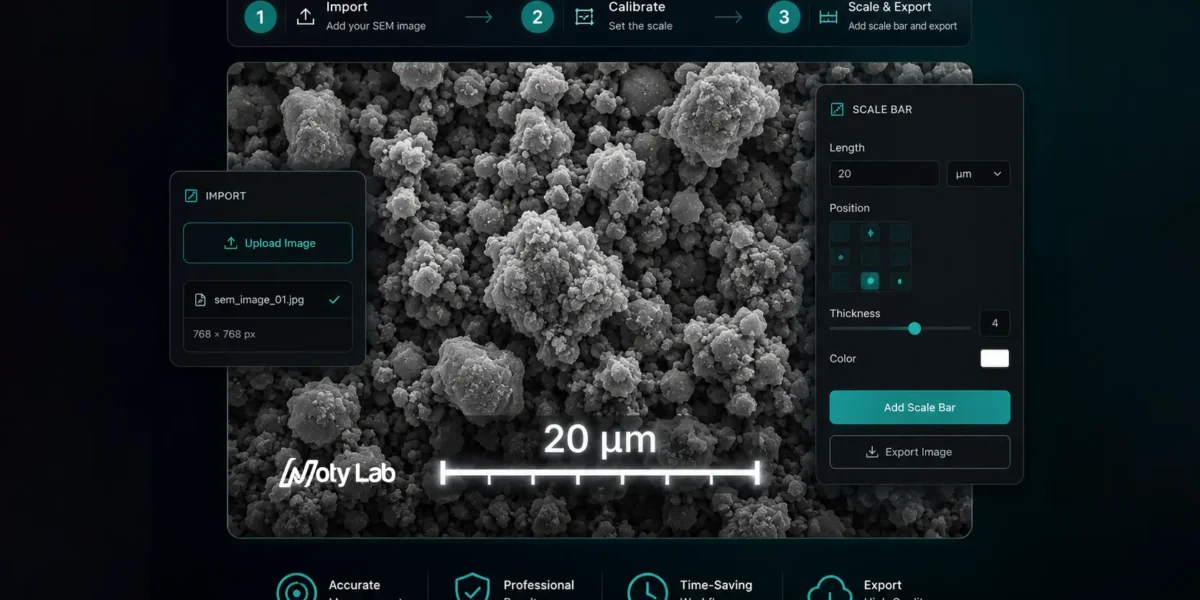
Adding an accurate scale bar to SEM images is essential for scientific publications, reports, and image analysis. A wrong scale bar can make measurements unreliable and may even cause journal rejection.
In this guide, you will learn a simple and fast workflow for creating accurate SEM scale bars without complicated image processing steps.
Step 1 — Import the SEM Image
Start by opening your SEM image in NotyScale or your preferred microscopy workflow tool.
Before adding a scale bar, make sure:
- The image has not been resized
- The aspect ratio is unchanged
- The original resolution is preserved
If the image was resized before calibration, the scale bar may become inaccurate.
📷 Suggested Image:
Original SEM image before calibration
Alt text:
Original SEM image before adding scale bar
Step 2 — Calibrate the Image
Calibration defines the relationship between pixels and real-world distance.
Usually this comes from:
- microscope metadata
- scale information
- calibration references
Once calibration is set correctly, the software can generate accurate scale bars automatically.
📷 Suggested Image:
SEM calibration window
Alt text:
SEM image calibration process using pixel-to-micron ratio
Step 3 — Crop the Image Carefully
Cropping is common in scientific figure preparation.
Important:
- Crop before adding the scale bar
- Avoid resizing after adding the scale bar
Resizing after scale bar insertion is one of the most common mistakes in scientific images.
📷 Suggested Image:
Correct cropping workflow for SEM image
Alt text:
Correct cropping workflow before inserting SEM scale bar
Step 4 — Insert the Scale Bar
Choose:
- bar length
- color
- thickness
- text size
For publication figures:
- use high contrast
- avoid oversized labels
- place the scale bar in empty image regions
A clean and readable scale bar improves figure quality significantly.
📷 Suggested Image:
SEM image with accurate scale bar
Alt text:
SEM microscopy image with accurate scale bar and label
Step 5 — Export for Publication
Export the final image in high quality.
Recommended formats:
- TIFF
- PNG
Avoid:
- low-quality JPEG compression
- unnecessary resizing
For journal submissions, always verify that the scale bar remains readable after export.
Common SEM Scale Bar Mistakes
- Adding scale bar before resizing
- Using incorrect calibration
- Exporting low-resolution figures
- Using unreadable labels
- Stretching the image
Final Thoughts
An accurate SEM scale bar is critical for scientific integrity and reproducibility.
Using a structured workflow helps avoid calibration mistakes and creates publication-ready microscopy figures much faster.